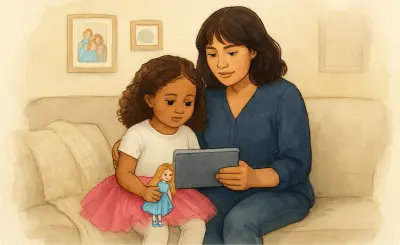
Ella lets you build a personalized world around each learner: the people in their life, the places they go, and the things that are familiar to them. Adding these elements makes creations more recognizable and relevant. Connecting them to a character gives Ella the context it needs to include them automatically, without you having to re-describe them each time.
Characters represent people in a learner’s world, including the learner a creation is for, their parent, teacher, sibling, therapist, or anyone else in their life.
Ella offers 12 predefined characters you can use immediately, with no description required. These are useful for getting started quickly or when a highly personalized character isn't needed.
To create a personalized character:
Tip: You can create animals and other characters by entering a species instead of gender.
Adding favorites like music, bicycles, or dogs makes creations more engaging and relatable. These items will appear in images and may be referenced in the text.
Note: Copyrighted characters or branded items may not render as expected due to restrictions.
Describe the character's appearance in as much detail as possible, focusing on the most distinctive and clearly observable features. Be specific and objective.
Include:
Avoid relative terms like "tall" or "small". These are imprecise and can produce unexpected results.
Example: "Pale skin with warm undertones, green eyes, auburn hair in a short bob haircut, dimples, a blue T-shirt with black joggers, and white sneakers."
Note: Characters are previewed as cartoons and photographs to make it easy to assess their features. You'll choose a visual style (like clay or stylized) for each creation. Appearance may vary slightly across styles.
Updating a character's description applies to new creations going forward. Existing creations will not be automatically updated.
Add the locations a learner knows, like their classroom, therapist's office, or a favorite park, so they appear in creations as familiar environments rather than generic ones.
You can create a place by describing it or by uploading a photo of the actual location.
Examples:
Add specific items a learner uses or encounters, like a comfort toy, a backpack, or a communication device, so creations reflect the real things in their life.
You can create an object by describing it or by uploading a photo.
Examples:
Relationships connect a character to the people, places, and objects in their world. Once a relationship is created, Ella uses it automatically when generating creations for that learner, so the right people, places, and things show up in context without you having to specify them each time.
To add relationships, open a character and link the relevant people, places, and objects to them.
Examples: